
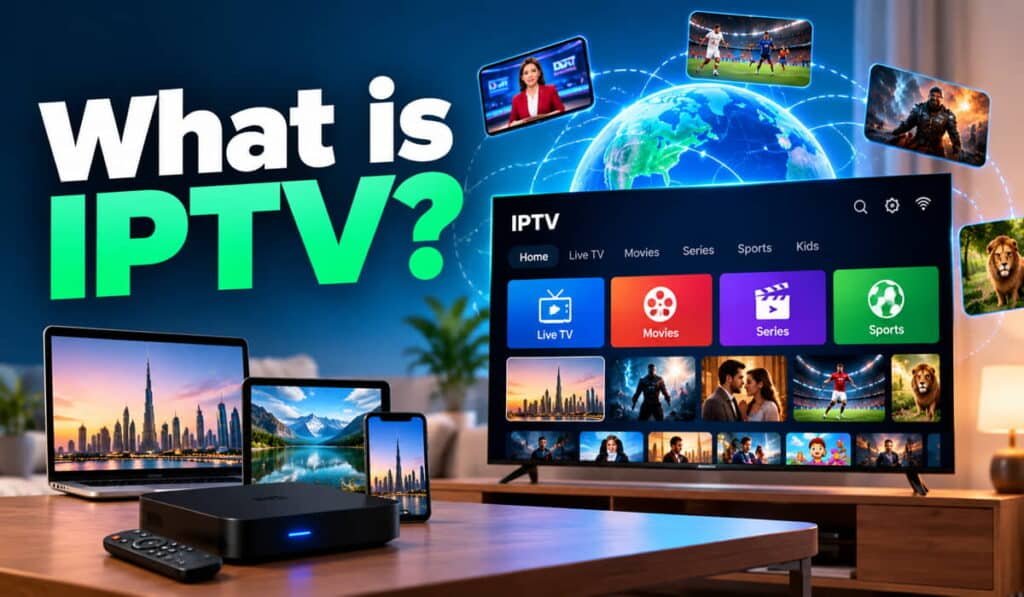
IPTV stands for Internet Protocol Television, a method of delivering television content through networks that use Internet Protocol (IP). Instead of relying only on traditional cable or satellite television delivery, IPTV uses IP-based infrastructure to send video content to compatible devices. Depending on the service, viewers may access live TV channels, video on demand (VOD), and catch-up programmes. To use IPTV, you generally need a suitable network connection, compatible playback equipment or software, and a service authorised to distribute the content you want to watch.
What Does IPTV Stand For?
IPTV stands for Internet Protocol Television. The term describes a way of delivering television programming and video content through IP-based networks.
Internet Protocol is the set of communication rules that helps devices and networks send data to the correct destination. In an IPTV system, this network technology supports the delivery of video and audio content from a source to a compatible playback device.
IPTV is a delivery method, not a specific brand, application, television box, or subscription package. Different providers can use different technologies and offer different features while delivering television through IP networks.
For example, a viewer in Dubai might open a compatible television application, select a live news channel, and watch its video stream over a network connection. The exact experience depends on the service, the device, and the content available to that viewer.
It is also important to distinguish IPTV from a particular IPTV player. A player may provide the interface used to access or play content, but it does not necessarily supply television channels or own the rights to distribute them.
How Does IPTV Work?
IPTV works by preparing television content for digital delivery, transmitting it through an IP-based network, and playing it on compatible equipment. Although the technical setup varies between providers, the basic process follows several stages.
1. Television content is prepared for delivery
The process begins with content, such as a live television broadcast, a recorded programme, or a movie. The provider or distributor must have the appropriate rights to distribute the content.
The video and audio are prepared for digital transmission. This may involve encoding and compression, which help represent the content in a format that can be delivered efficiently and played by supported devices.
An IPTV provider does not necessarily produce its own programmes. It may receive content from broadcasters, production companies, or other authorised distributors.
2. Content travels through an IP network
After preparation, the content is delivered through an IP-based network. Depending on the service architecture, this may involve a managed distribution network, an internet connection, or a combination of network systems.
The delivery method can vary. Some systems are designed around managed television distribution, while others deliver content over ordinary broadband connections.
This is why the term IPTV should not be understood as one fixed technical system. Different implementations can use different network arrangements and delivery methods.
3. A compatible device receives the stream
The content reaches a device capable of receiving and playing the stream. Depending on the provider, this may be a supported smart TV, streaming box, phone, tablet, computer, or dedicated television receiver.
The device must support the service’s playback method and required formats. Some services use a dedicated application, while others may rely on provider-supplied equipment or software.
Owning a smart TV does not automatically guarantee compatibility with every IPTV service.
4. The device processes and plays the video
The playback application or device processes the incoming data and displays the picture while playing the sound.
Some streaming systems use buffering, which temporarily stores a small amount of incoming data to help playback continue smoothly. Others may use adaptive bitrate streaming, which adjusts video quality according to changing network conditions.
If the connection becomes unstable or the device cannot process the stream properly, playback may pause, buffer, or switch to a lower resolution.
5. The viewer selects a channel or programme
The viewer uses a remote control, touchscreen, keyboard, or other supported interface to select content.
A live TV service may allow the viewer to switch between available channels. A service with on-demand features may also let viewers search for a movie or programme and start playback when they choose.
Channel-changing speed and playback start time depend on the provider’s infrastructure, the device, the network, and the delivery method.
In simple terms: Content is prepared, delivered through an IP network, received by compatible equipment, and played for the viewer.
What Types of Content Can IPTV Provide?
IPTV can support different types of television and video content. However, the actual features depend on the service, its technical capabilities, and its content-distribution rights.
Live television
Live IPTV delivers television programming as a live channel or broadcast feed. This can include news, entertainment, sports, documentaries, and other programming, depending on the available channel lineup.
For viewers in Dubai and across the UAE, the most important consideration is whether a service provides the channels and languages they actually watch. A large advertised channel count does not guarantee that every channel is available, working, or authorised for distribution.
Video on demand (VOD)
Video on demand allows viewers to select a video from a catalogue instead of watching only what is currently being broadcast.
Depending on the service, the catalogue may include movies, television series, documentaries, and other programmes. Availability can change according to the provider’s agreements and the rights attached to individual titles.
VOD is useful when viewers prefer to choose what to watch and when to watch it.
Catch-up TV
Catch-up TV allows viewers to watch eligible programmes after their original broadcast. For example, a viewer may be able to replay a programme that aired earlier in the day.
Catch-up availability depends on the provider, the platform’s features, and the rights associated with the programme. Some services offer only live channels, while others include replay options for selected content.
These categories are related, but they are not interchangeable. Live TV focuses on current broadcasts, VOD provides a selectable content catalogue, and catch-up TV makes eligible previously broadcast programmes available for a limited period.
What Do You Need to Use IPTV?
The equipment and connectivity required for IPTV depend on the service you choose. Most viewers should check four main requirements before subscribing.
A suitable internet or IP network connection
For IPTV delivered over a household internet connection, network performance plays an important role in playback quality.
The amount of bandwidth required depends on the stream’s resolution, bitrate, compression, number of simultaneous streams, and network conditions. A high-resolution stream generally requires more capacity than a lower-resolution stream.
Connection stability matters as well. A fast internet package may still produce poor playback if the Wi-Fi signal is weak, the network is congested, or the provider has performance problems.
There is no single internet-speed figure that guarantees smooth IPTV playback in every situation.
Read our guide to IPTV internet speed requirements for a more detailed explanation of bandwidth, streaming resolution, and simultaneous viewing.
A compatible television or device
IPTV can work with different device categories when the service supports them. These may include:
- Smart TVs with compatible applications.
- Android TV devices and supported streaming boxes.
- Streaming sticks that support the required player.
- Smartphones and tablets.
- Computers and laptops.
- Dedicated IPTV receivers supplied or supported by a provider.
Compatibility depends on the device’s operating system, software, supported formats, and the provider’s requirements. Always confirm that your intended device is supported before paying for a subscription.
See the IPTV device compatibility guide for more information.
Compatible playback software
Some IPTV services require an application or player to access content. The application may provide channel navigation, playback controls, programme information, search, or other features.
An IPTV player and an IPTV subscription are not necessarily the same thing. A player may simply play content provided through a separate service. Installing an application alone does not automatically provide television channels or establish that the content is authorised.
Before installing software, check its compatibility, permissions, developer information, and the source of the content it will access.
Our guide to what an IPTV app does can explain the role of playback applications in greater detail.
An IPTV service with appropriate content rights
A viewer also needs access to a service that can lawfully provide the content being watched. The presence of a website, application, playlist, or subscription payment does not by itself prove that a provider has the necessary distribution rights.
Check the provider’s identity, terms, support details, and relevant authorisation claims before subscribing.
IPTV vs. Cable TV, Satellite TV, and OTT Streaming
IPTV is often compared with cable television, satellite TV, and online streaming platforms. These technologies and services can overlap, but they are not identical.
| Viewing method | Typical delivery method | Typical equipment | How viewers access content |
|---|---|---|---|
| IPTV | Television content delivered through IP-based networks | Compatible TV, device, player, or receiver | Through a supported service or interface |
| Traditional cable TV | Television signals distributed through a cable network | Cable connection and compatible receiver or television | Through a cable TV package and channel lineup |
| Satellite TV | Signals transmitted by satellite and received by suitable equipment | Usually a satellite dish and receiver | Through a satellite television package |
| OTT streaming | Video delivered over an internet connection outside a traditional managed TV distribution service | Compatible connected device or application | Through an online streaming service or platform |
These are typical arrangements, not absolute rules for every provider. Modern television systems can combine technologies, and some cable or telecom operators use IP technology within their infrastructure.
IPTV vs. cable TV
Traditional cable television commonly delivers channels through cable infrastructure. IPTV delivers television content through IP-based networks.
IPTV may offer a combination of live television and on-demand features when the provider supports them. Cable services can also offer digital programme guides, recording, and on-demand features, so these capabilities are not exclusive to IPTV.
The practical choice depends on available providers, channel selection, connectivity, equipment, and total cost.
IPTV vs. satellite TV
Satellite television typically receives broadcast signals transmitted through satellites, often using a dish and receiver. IPTV uses an IP-network delivery system.
Satellite TV may be suitable where satellite reception is available, and broadband is limited. IPTV may be convenient for viewers who already have a suitable network connection and want access through compatible connected devices.
Neither method is automatically better in every location or situation.
IPTV vs. OTT streaming
OTT stands for over-the-top. It generally describes video or other media delivered over internet connections outside a traditional managed television distribution system.
IPTV and OTT are related, but they are not perfect synonyms. Some IPTV services use internet-based delivery methods that resemble OTT streaming, while other IPTV systems operate through managed networks. The correct classification depends on how the service is organised and delivered.
A subscription to an individual streaming platform is therefore not automatically the same thing as an IPTV service.
What Are the Advantages of IPTV?
The potential advantages of IPTV depend on the provider’s features and the network used to deliver the content.
Flexible content access: Services that support live TV, VOD, and catch-up TV can give viewers different ways to access programmes. The availability of each feature must be checked individually.
Device choice: Compatible services may allow viewers to use a smart TV, streaming device, computer, phone, or tablet. Actual support varies between providers and applications.
On-demand viewing: Where a VOD catalogue is available, viewers can select eligible programmes instead of relying entirely on a scheduled broadcast.
Digital navigation features: Some IPTV systems provide electronic programme guides (EPGs), search, favourites, or other interface features. The exact tools depend on the application and service.
Integration with connected devices: IPTV may fit naturally into a home where viewers already use broadband and connected entertainment devices.
Potentially simpler equipment requirements: Some setups do not require conventional cable or satellite reception equipment. However, a compatible device, software, network connection, or dedicated receiver may still be necessary.
These advantages should be evaluated against the features of the actual service rather than assumed to apply to every IPTV subscription.
What Are the Disadvantages of IPTV?
IPTV also has limitations that viewers should understand before choosing a provider.
Dependence on network performance: Internet-delivered IPTV can experience interruptions when the connection is unstable, congested, or insufficient for the stream’s bitrate.
Buffering and picture-quality changes: Weak Wi-Fi, limited bandwidth, device performance, or provider-side problems can cause buffering and reduced video quality.
Device compatibility restrictions: A service may support certain operating systems or devices but not others. Some subscriptions also limit the number of devices or simultaneous streams.
Different levels of provider reliability: Channel availability, playback performance, customer support, and service continuity vary. Marketing claims alone cannot establish how reliably a service will perform.
Privacy and security considerations: Installing applications from unknown sources or providing payment details to an untrustworthy provider can create risks. Review software permissions, provider information, and payment terms before proceeding.
Content-rights concerns: Not every service that advertises IPTV has necessarily obtained permission to distribute all the content it offers. Viewers should evaluate the provider’s authorisation rather than judging legitimacy by the size of its channel list.
These limitations are not universal to every IPTV system. They are factors to investigate when evaluating a particular service.
Is IPTV Legal in Dubai and the UAE?
IPTV is a method of delivering television content, so the technology alone does not determine whether a particular service is lawful. The provider’s activities, the content being distributed, the relevant permissions, and applicable UAE law all matter.
The UAE Media Council’s official guidance identifies radio and television broadcasting activities that include IPTV, over-the-top services, and video on demand. UAE media regulation therefore provides a relevant framework for activities involving these forms of content distribution. The UAE also has rules concerning intellectual property rights and media activities.
Official references include the UAE Media Council’s FAQ and the UAE Government’s media regulation guidance.
When evaluating a service, consider the following:
- Provider identity: Can you identify the business responsible for the service?
- Authorisation: Can the provider explain its authority to distribute the relevant channels and programmes?
- Terms and transparency: Are the subscription terms, support arrangements, and business details clear?
- Content rights: Does the service have appropriate rights for the content it makes available?
A website, application, paid subscription, or large content catalogue does not independently prove that a service is authorised. Likewise, the fact that a service uses IPTV technology does not by itself establish that it is unlawful.
This is a general overview, not legal advice. Anyone with a specific compliance concern should consult the relevant UAE authorities or a qualified legal professional.
For more detail, see our guide to IPTV legality in the UAE.
How to Choose an IPTV Service
After understanding how IPTV works, the next step is to evaluate the service rather than choosing solely by advertised channel numbers or subscription price.
Use these points when comparing providers:
- Check content authorisation. Look for credible information about the provider’s rights to distribute the channels and programmes it offers.
- Confirm channel availability. Make sure the service includes the specific channels, languages, and content categories you want.
- Check device compatibility. Confirm that your television, streaming device, or other equipment supports the service.
- Understand the subscription terms. Review the subscription period, payment conditions, renewal policy, cancellation rules, and refund terms.
- Review device limits. Find out how many devices can be registered and how many streams can run at the same time.
- Evaluate support arrangements. Check whether the provider offers clear setup instructions and a practical way to get help.
- Consider privacy and security. Review the software source, permissions, payment process, and provider’s handling of personal information.
- Assess your network. Make sure your connection and home Wi-Fi can support your intended viewing quality and the number of simultaneous streams.
If you are comparing IPTV services in Dubai, apply the same checks to every provider. Do not assume that a service offers particular channels, picture quality, uptime, or device support unless the relevant details have been confirmed.
Once you understand these factors, you can explore available IPTV subscription options in Dubai and compare the verified service details with your needs. Use this link only if /iptv/subscription/ is the actual, published commercial destination; otherwise, replace it with the correct service URL.
Frequently Asked Questions About IPTV
Does IPTV require the internet?
IPTV delivered over a household internet connection needs that connection to access its streams. Some IPTV systems use managed IP networks rather than the public internet in the same way. The exact network requirements depend on the service’s architecture and delivery method.
Can IPTV work on a smart TV?
Yes, IPTV can work on a smart TV when the television, playback application, and service are compatible. A smart TV does not automatically support every IPTV service, so check the provider’s device requirements before subscribing.
Do I need a separate IPTV box?
Not always. A supported smart TV, streaming device, phone, tablet, or computer may be sufficient. Some services require a dedicated receiver or specific hardware, so the answer depends on the service you choose.
Is IPTV the same as Netflix or another streaming platform?
No. IPTV describes a television content-delivery approach, while individual streaming platforms are services with their own content catalogues and distribution arrangements. Their technologies can overlap, but the terms do not mean exactly the same thing.
Does IPTV include live channels and movies?
IPTV can support both live television and on-demand movies, but not every provider offers both. The available channels, programmes, and on-demand titles depend on the service’s features and content-distribution rights.
Why does IPTV buffer?
Buffering can result from insufficient bandwidth, network congestion, weak Wi-Fi, device limitations, or problems with the service’s delivery infrastructure. Testing the network and checking whether other devices or streams are affected can help narrow down the cause.
Is IPTV legal in the UAE?
The technology itself does not establish whether a particular service is lawful. The provider’s activities, content-distribution rights, relevant permissions, and applicable UAE rules must be considered. Verify the provider’s claims and consult official sources if you need guidance on a specific service.
What internet speed do I need for IPTV?
There is no universal speed requirement for every IPTV service. The amount of bandwidth needed depends on video resolution, bitrate, compression, the number of simultaneous streams, and network stability. Check the provider’s requirements and test your connection under normal household conditions.